@relisa/gui4vega - v1.0.1

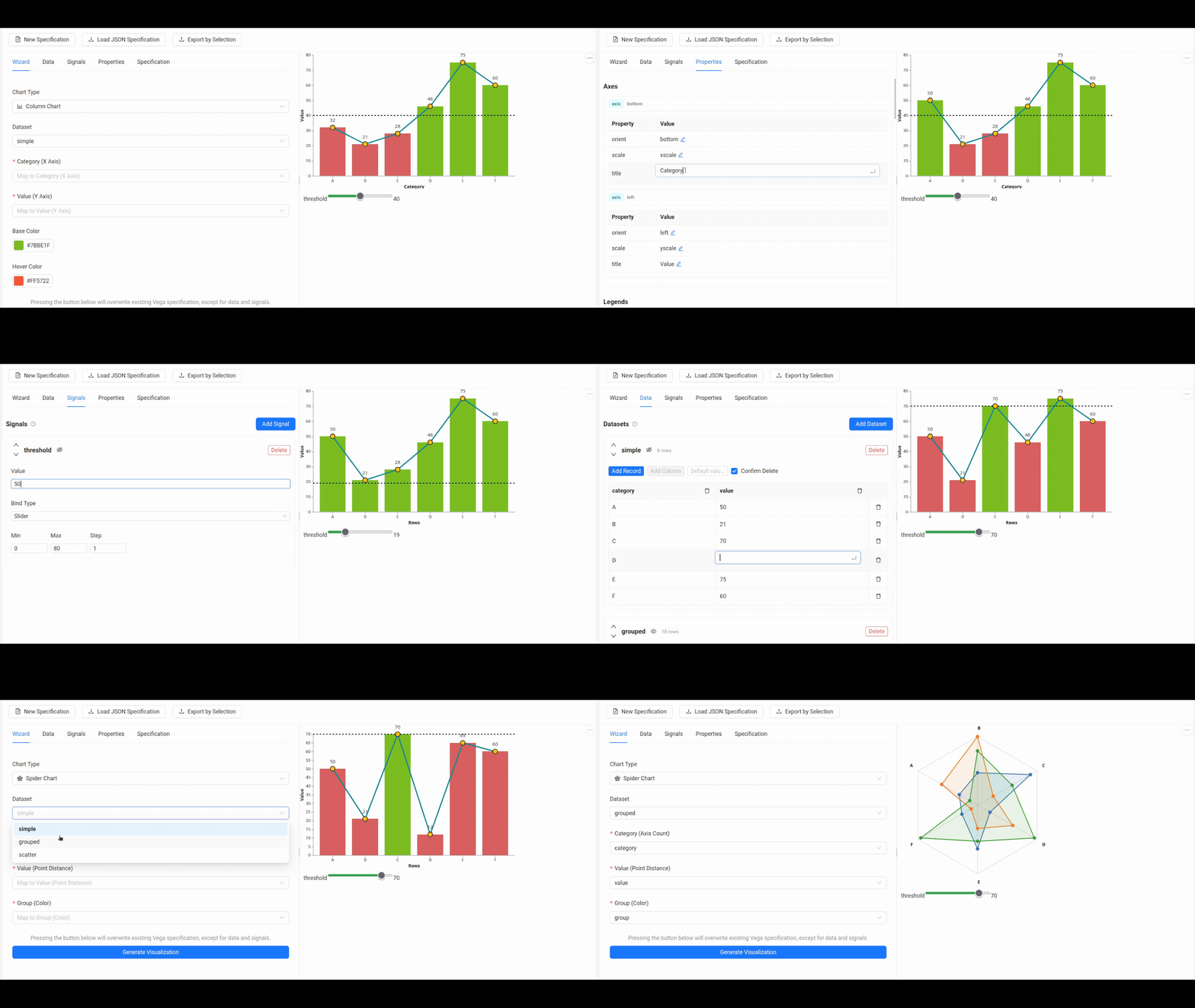
GUI 4 Vega is a React component library that provides a user-friendly interface for creating and customizing Vega visualizations.
Refer either to this README or GUI 4 Vega Documentation.
Features
- React Component: Easy integration into any React project via
@relisa/gui4vegapackage hosted on GitHub Packages registry. - UI Frameworks Integration: Examples provided for Ant Design (
demo_antd) and Bootstrap (demo_bootstrap). - Embedded Text Editor: Interactive JSON editor powered by CodeMirror.
- Wizard Tab: Form interface to easily generate sample visualizations.
- Data and Signals Editors: Panels to visually manage, inspect, and tweak Vega data sources and signals without writing JSON manually.
- Spec Import and Export: Load existing Vega JSON specifications or export your creations for use in other projects.
- Data Import: Built-in support for CSV and JSON data import via Papa Parse.
- Customizable Layout: Layout with resizable panels for the editor and visualization, supporting light and dark themes via Ant Design GlobalToken.
Requirements
- Node.js >= 18.x
- React >= 18.2.0, 19.0.0
- React DOM >= 18.2.0, 19.0.0
Run demo applications
Since the demo applications are linked locally to the library, you need to build the library first before running the demos:
# from root of the repository
cd gui4vega
npm install
npm run build
After building the library, you can run either of the demo applications (you dont need to link the library to the demo applications, since they are already linked locally in the repository):
# from root of the repository
cd demo_antd # or demo_bootstrap
npm install
npm run dev
The applications will be available at http://localhost:5173 or http://localhost:5174 respectively.
Installation
These steps will guide you through the installation of the GUI 4 Vega package in order to include it in your React project.
Local Installation
To install the package locally, you can clone the repository and build it from source:
# from root of the repository
cd gui4vega
npm install
npm run build
After that you can install the package to your React project:
cd path/to/your/project
npm install /path/to/gui4vega
You should notice in the package.json of your project that the dependency is added as a local file path:
"dependencies": {
"@relisa/gui4vega": "file:../path/to/gui4vega"
}
You can also consider using npm link to link the package globally and then link it to your project, but this approach can be more complex and may lead to issues with dependencies and versioning. For more details refer to the npm documentation.
For local development purposes, consider using Vite and its alias. You can refer to the Vite documentation for more details or see the implementation of vite.config.ts of both demo applications in the repository.
GitHub Packages
To install the package, you need access to the GitHub Packages registry.
- You must request permission from the owner or contributor of the ReliSA GitHub repository hosting the
@relisa/gui4vegapackage. - Create a GitHub Personal Access Token (classic) with the
read:packagescope (no other privileges are required). - Create a
.npmrcfile in your project root with the following content (replace the placeholder with your actual token):- The
.npmrcfile is also present in the repository. - You can also refer to the GitHub documentation for more details about GitHub Packages.
- The
@relisa:registry=https://npm.pkg.github.com/
//npm.pkg.github.com/:_authToken=YOUR_GITHUB_TOKEN_WITH_PACKAGE_READ_PERMISSION
- Then, you can install the package in your React project directly using npm:
npm install @relisa/gui4vega
Importing the Component
To use GUI 4 Vega in your application, simply import the component VegaEditor from the package. To access its code via getCode() method, you should provide it with a React reference (ref).
import React, { useRef } from 'react';
import { VegaEditor } from '@relisa/gui4vega';
import type { VegaEditorRef } from '@relisa/gui4vega';
const App = () => {
// Create a ref to interact with the VegaEditor instance
// You can access the getCode() method through this ref
const editorRef = useRef<VegaEditorRef>(null);
return (
<VegaEditor ref={editorRef} height='700px' />
);
};
export default App;
If you would like to access exported data from the VegaEditor in your code, consider using the ExternalSelectionExporter component. For its usage, refer to the GUI 4 Vega Documentation or implementation of demo_antd, which includes an example of how to use it.
Useful Commands
When a new version of the library is released, a GitHub Actions workflow is triggered to run unit tests automatically. However, if you want to run the tests locally, you can use the following commands:
# from root of the repository
cd gui4vega
npm run test # Run all unit tests
npm run test:cov # Run all unit tests with coverage
Similarly, a TypeDoc workflow is triggered with every release to generate the documentation for the library. To generate the documentation locally to the gui4vega/doc directory, you can use the following commands:
# from root of the repository
cd gui4vega
npm run doc # Generate documentation
npm run doc:watch # Generate documentation and watch for changes